Recar
Making it easier to find and reserve a nearby rental car. A mobile UX case study covering personas, competitive analysis, journey mapping and interface design.
- Role
- UI/UX Designer
- Platform
- Mobile app
- Scope
- UX research, information architecture, UI design
Overview
Renting a car can mean moving between agencies, comparing unclear offers and discovering that the vehicle you want is unavailable. Recar brings nearby cars, availability and the details needed to choose into one mobile experience.
My mission was to design a simpler way to find a suitable rental car and a good deal. The study explored three questions: how to make nearby availability easier to find, how to personalise the experience, and how to build trust before a reservation.
A rental experience built around the driver
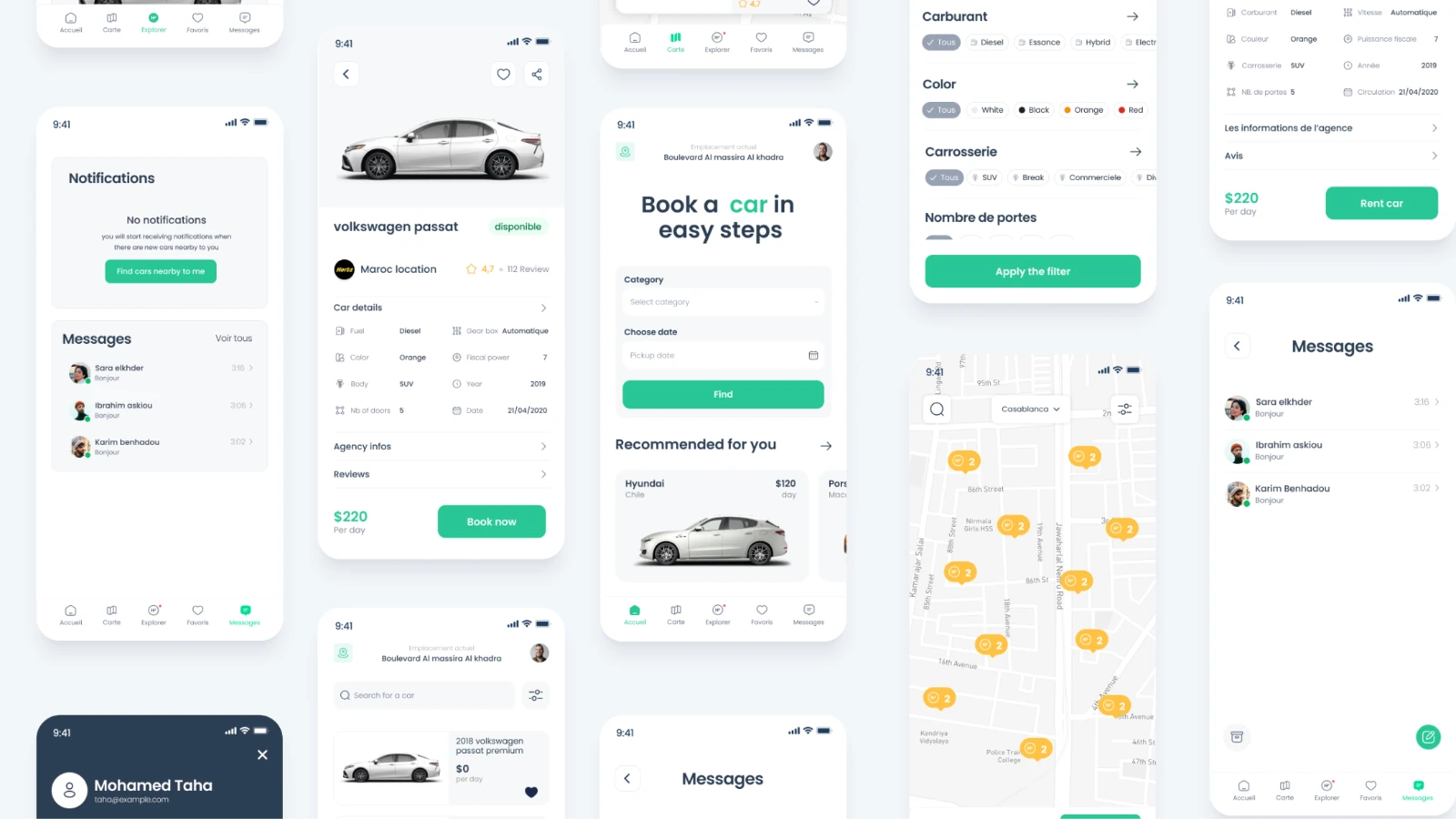
The concept combines search, a nearby-car map, saved vehicles and agency messaging. Preferences gathered during onboarding inform the cars recommended on the home screen.
- Competitive analysis. I reviewed Carmine, One Click Drive and VIP Cars. The opportunities identified in the study were more relevant vehicle suggestions and a direct way to contact an agency.
- Feature priorities. Preference-based recommendations, map search, filters, favourites, agency chat and customer feedback became the core of the proposed experience.
A car for a longer visit
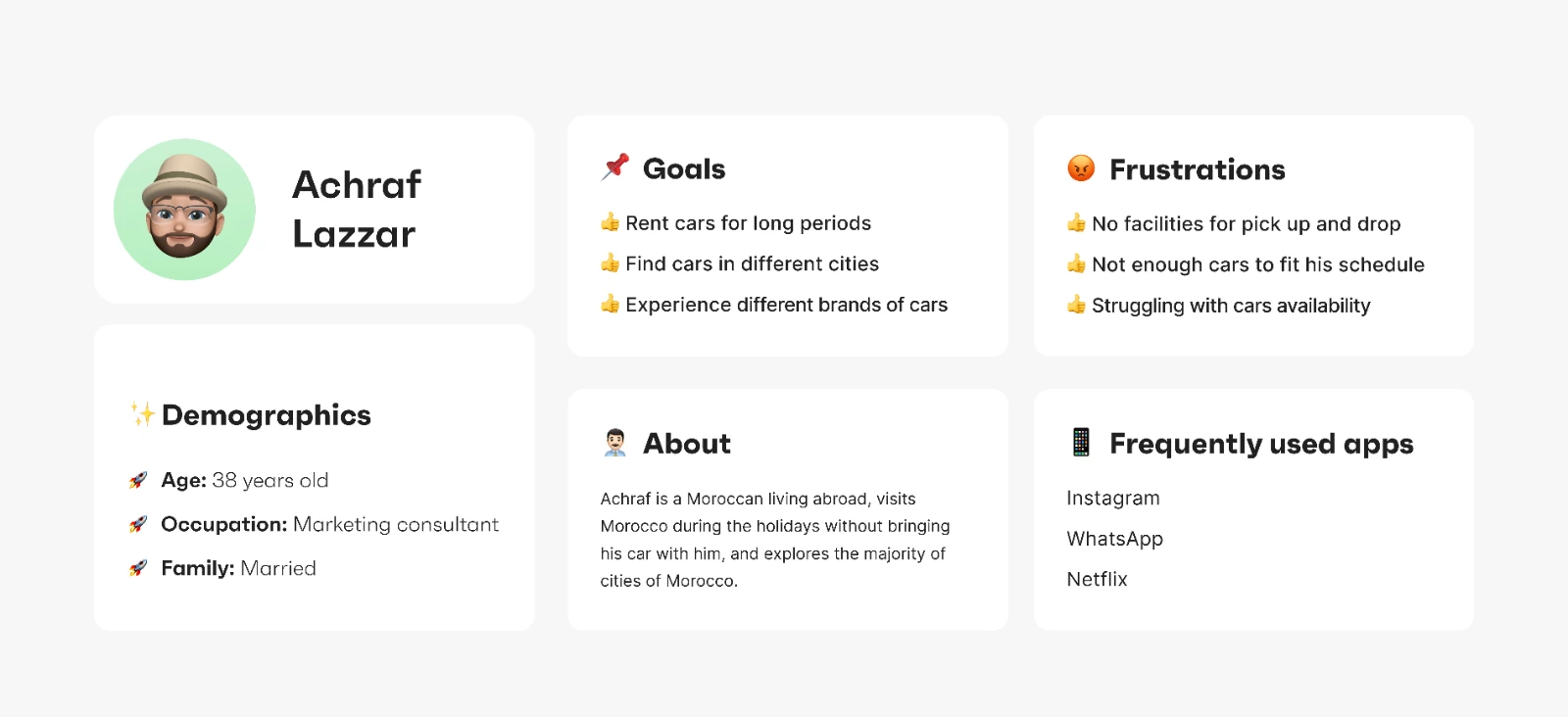
Achraf’s persona represents a Moroccan living abroad who returns for holidays and travels between cities. He needs longer rentals, a choice of brands and dependable availability, with convenient pickup and drop-off.
A car that fits a business trip
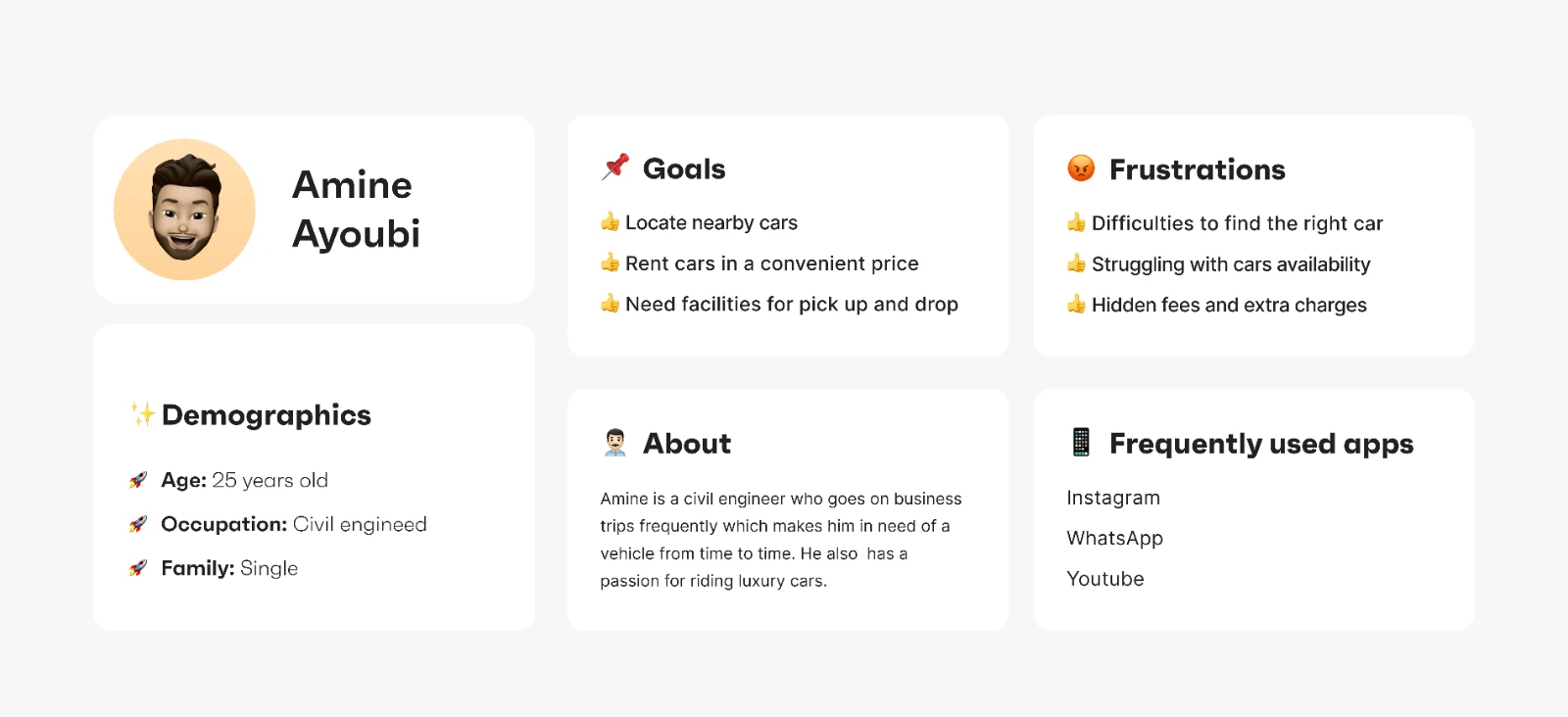
Amine’s persona represents a frequent business traveller looking for nearby cars at a suitable price. Availability, pickup and drop-off, and avoiding hidden charges shape his choice.
Five clear places to go
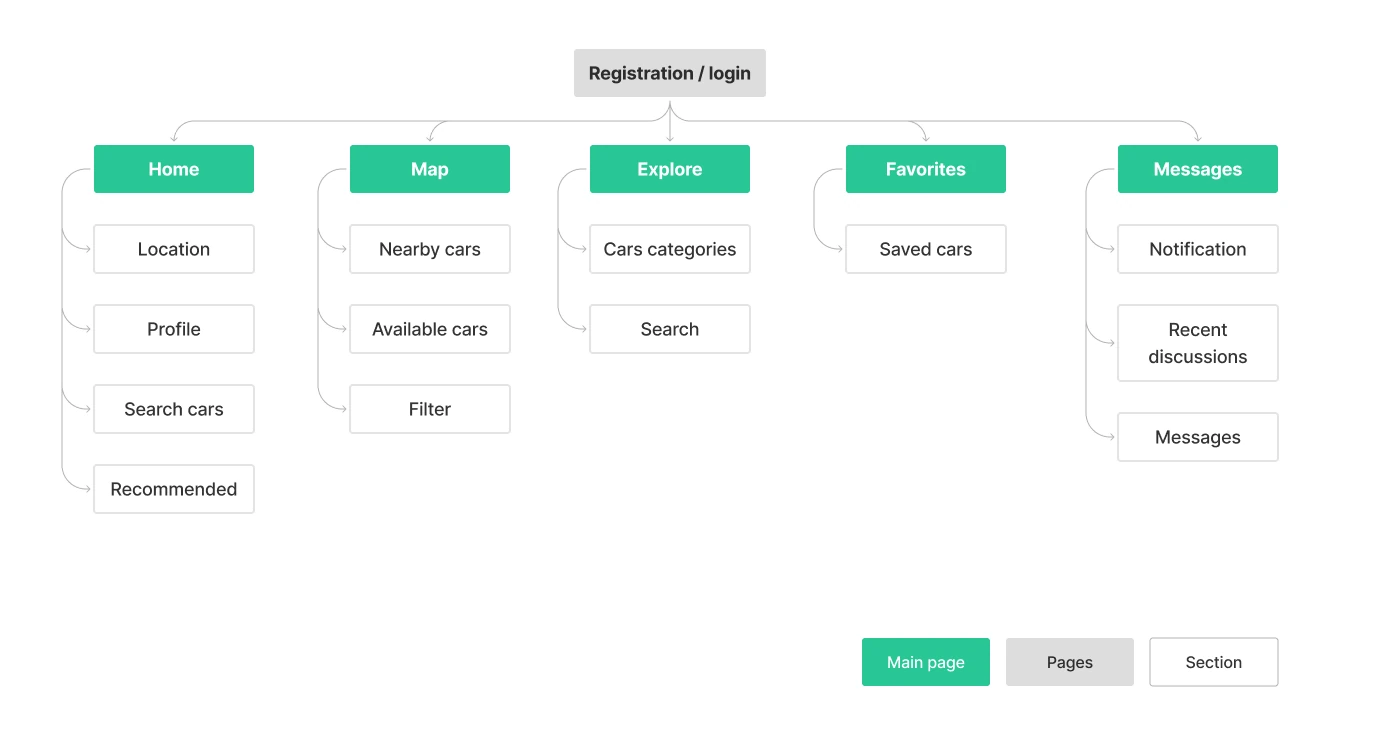
After registration, the app is organised around Home, Map, Explore, Favourites and Messages. Each area has a distinct job, from finding available cars to returning to a saved vehicle or a conversation.
Mapping the journey beyond the booking
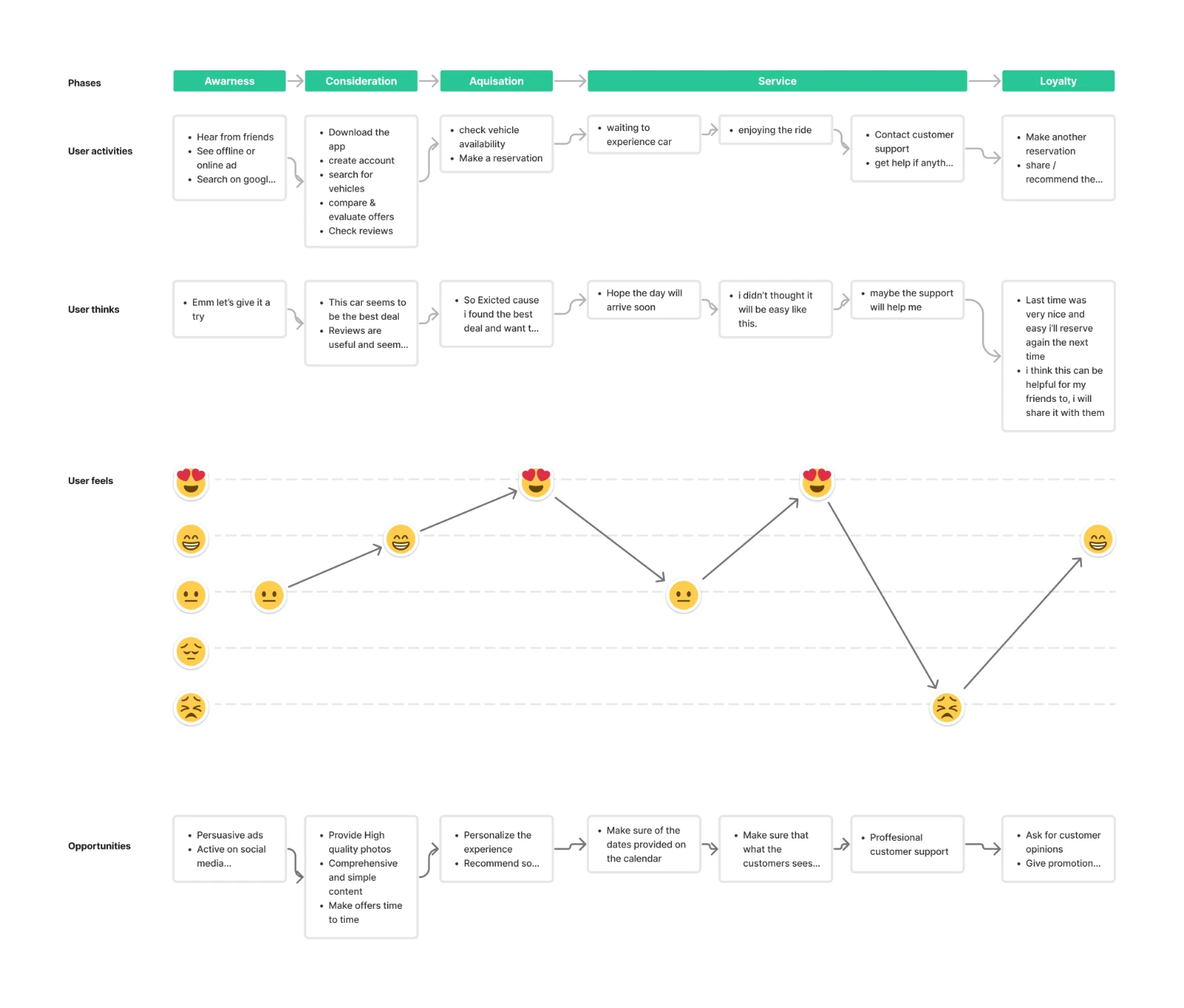
The journey map follows awareness, consideration, acquisition, service and loyalty. It connects the steps in a rental with the driver’s expectations and feelings, highlighting opportunities around clear information, accurate availability, support and feedback.
Onboarding for more relevant recommendations
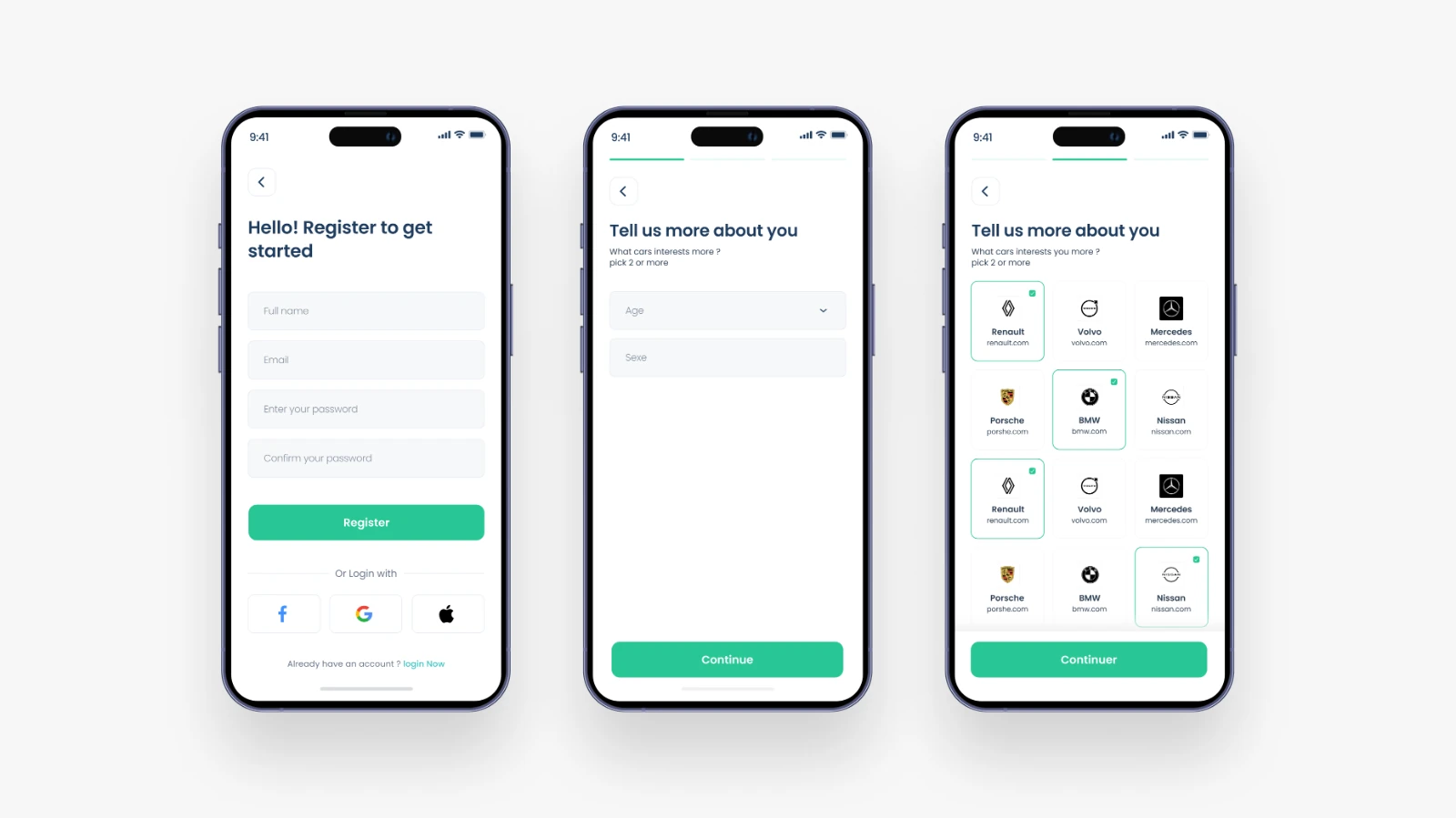
The onboarding introduces account creation and asks about preferences, including favourite car brands. The proposed recommendation system uses these choices to make the suggested vehicles more relevant.
A focused starting point
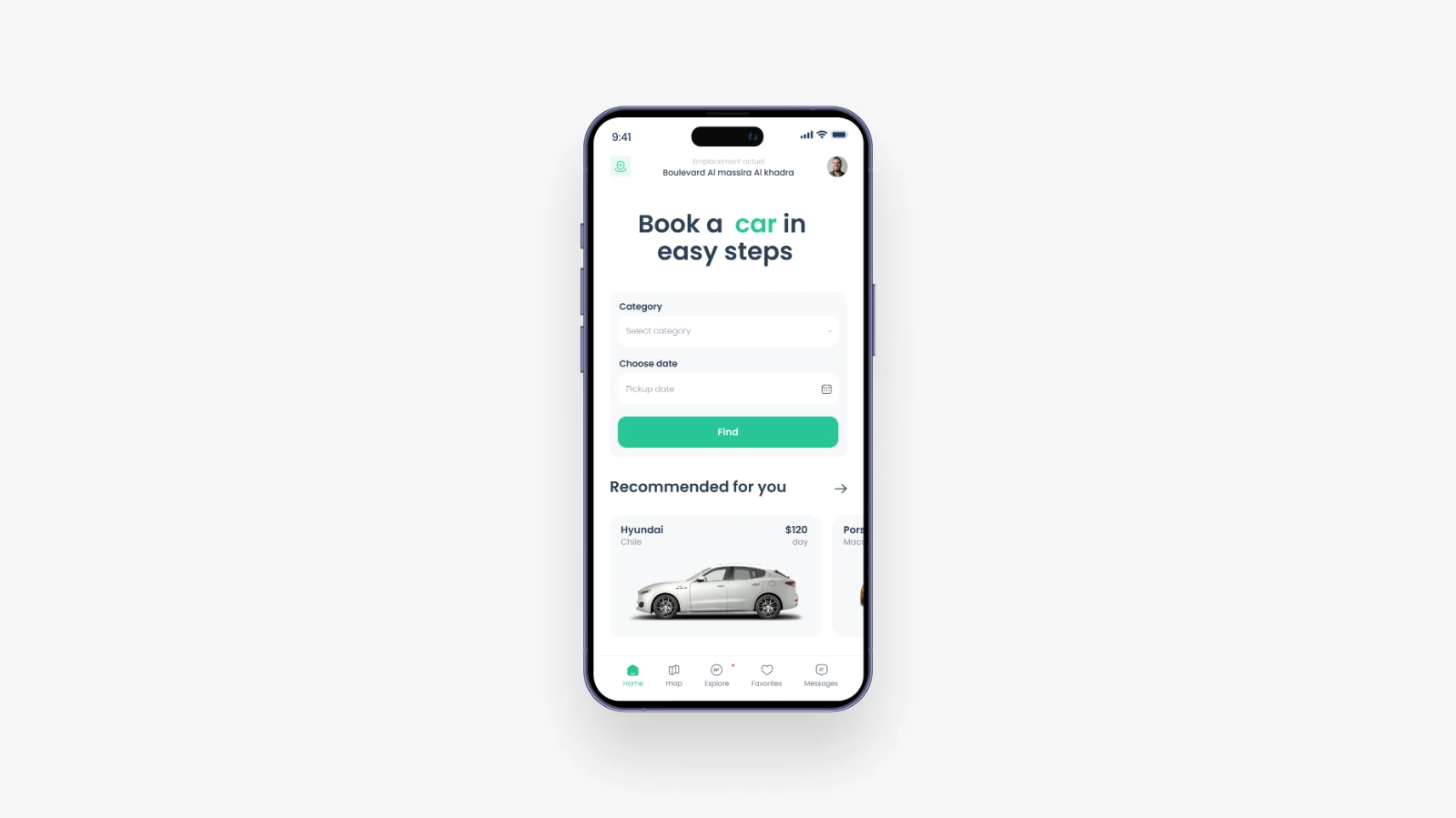
The home screen puts the current location, car category and pickup date within reach. Recommended cars sit below the search form, bringing the preferences from onboarding into the browsing experience.
From nearby availability to a reservation
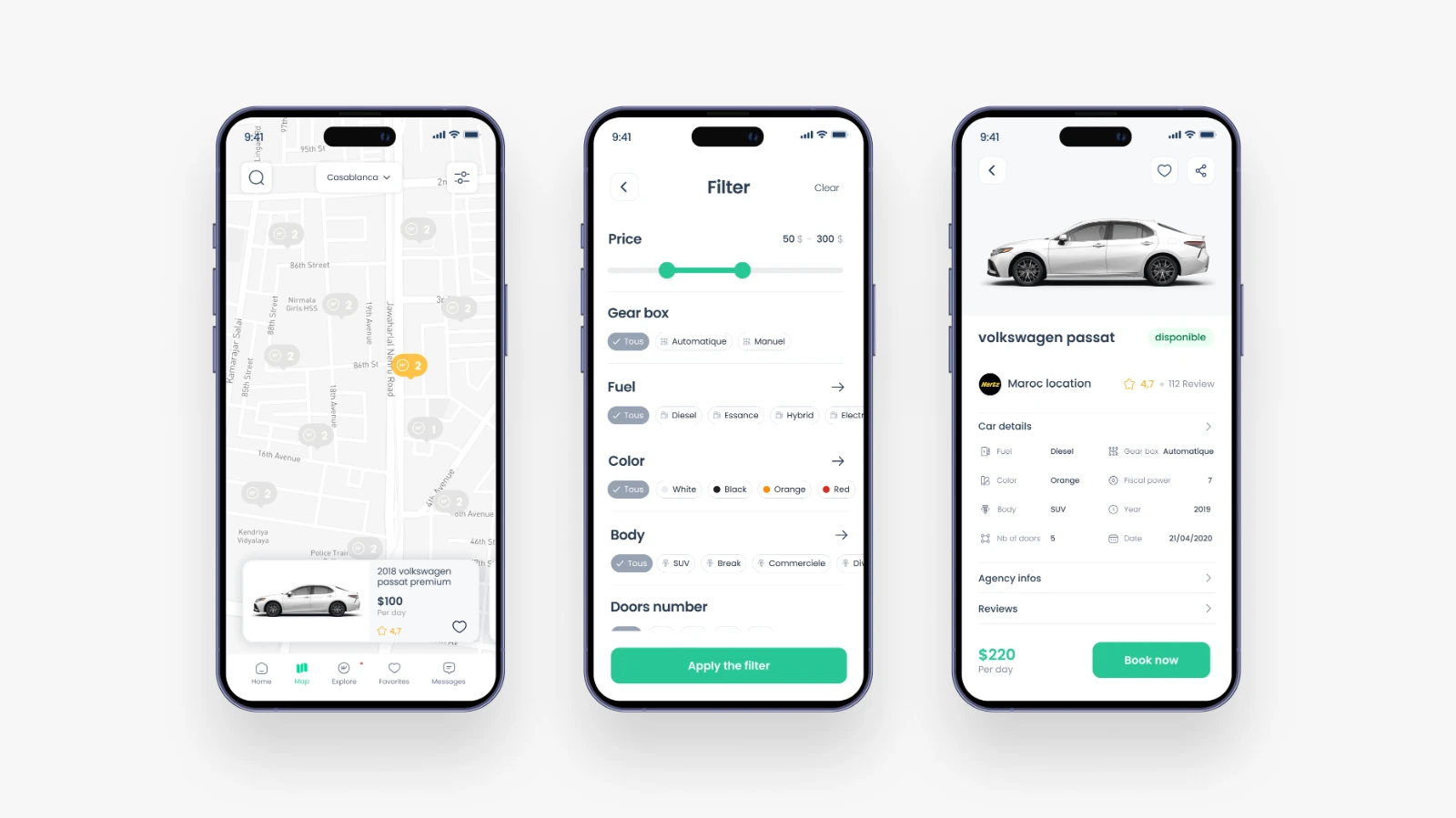
The proposed flow is straightforward: locate nearby cars on the map, narrow the options with filters, then open a vehicle and choose Book now. Price, specifications, agency information and reviews support the decision.
The result
The design connects personalised discovery, nearby availability and vehicle information into a single reservation journey. The proposed success measures are reservation task completion, post-booking NPS and the number of cars booked, informed by the HEART framework.